How to Use the Fire Planner
From four numbers to a full plan, US taxes included
The Fire Planner answers one question: when can you retire, and does the money last? This guide takes you from a first visit to a full plan in nine steps. Steps 5 and 6 cover US taxes. Everything runs in your browser, with no account. The screenshots come from the planner, with an example couple in Colorado.
1. Type four numbers
A first visit opens the quick-start. Enter your age, what you have invested, what you spend a month and what you earn a month. In the US, tick US taxes: the income field changes to Monthly income before tax, and your plan starts with taxes on, in dollars, with your state filled in from where you are.
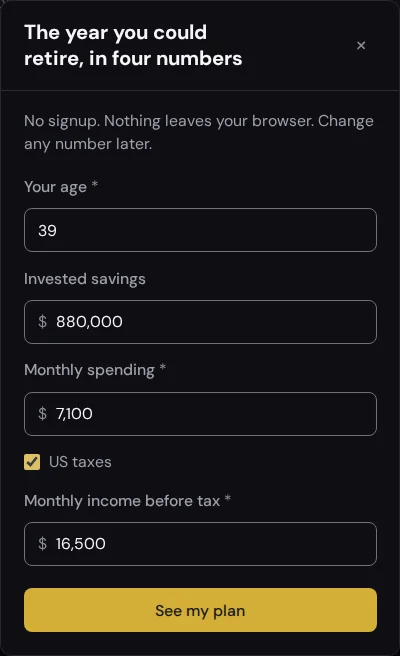
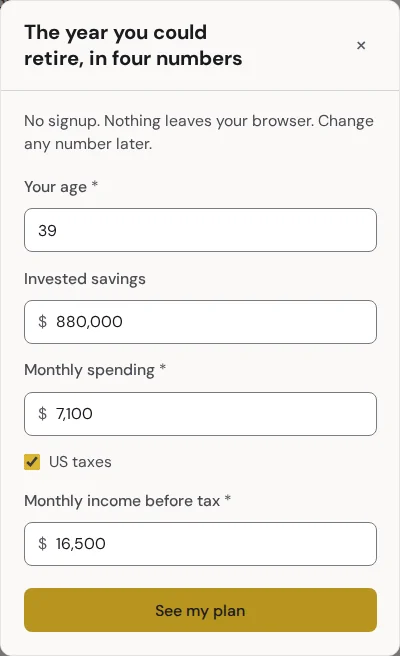
See my plan builds the plan and shows the earliest month you could retire. Your three totals become three lines: a salary, a spending line and an investment account. A short tour follows the first time.
Coming from a calculator, or from a link an AI assistant gave you? The quick-start opens with those numbers filled in, and the plan it makes sits beside any plans you already have.
2. Read the answer
The headline is the date: "Retiring Feb 2033, at 46". With "suggested" it is the first month your money lasts to the age in "Money must last until" (90 by default). Three cards grade that date:
- Average returns runs the plan at steady growth and says how long the money lasts.
- Monte Carlo runs it through 500 simulated markets and counts the ones where the money lasts.
- Historical backtest runs it through every start year since 1872 and counts those.
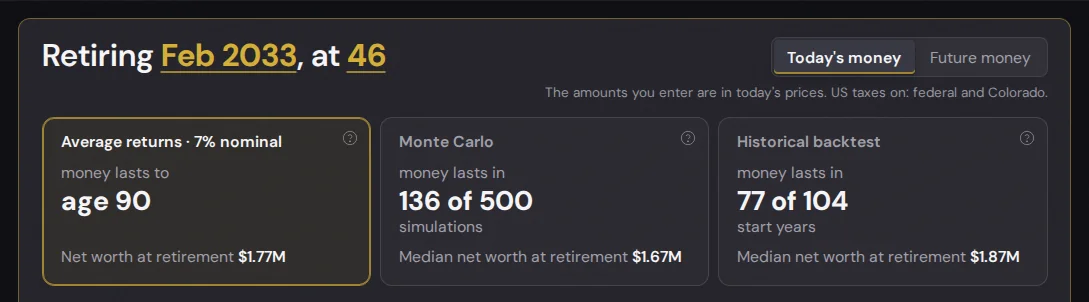
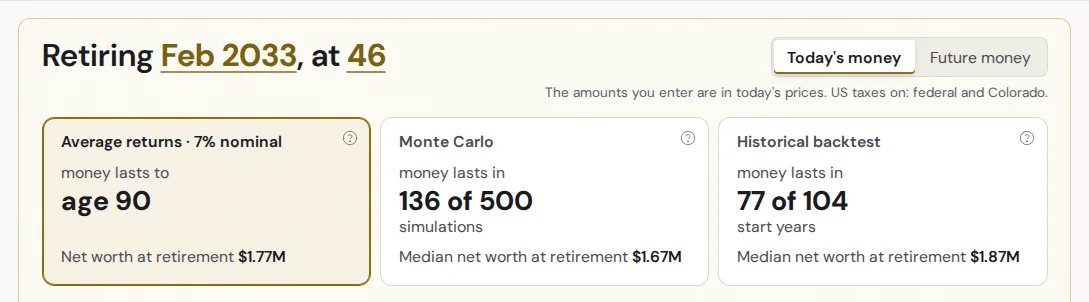
Read the counts before you celebrate. This example works on average returns but lasts in only 136 of 500 simulated markets: the date is the earliest one that works on average, so it is fragile by design. Set a later date under Retire in You to see how the counts climb. The money switch shows every sum in today's money or future money.
3. Read the visuals
Under the cards, Visuals has the tabs the date rests on: Path (net worth year by year), Money flow (where one year's money goes), Saved vs growth (what you put in against what growth adds) and Table. With US taxes on, a Taxes tab joins them, and Money flow shows tax as its own stream.
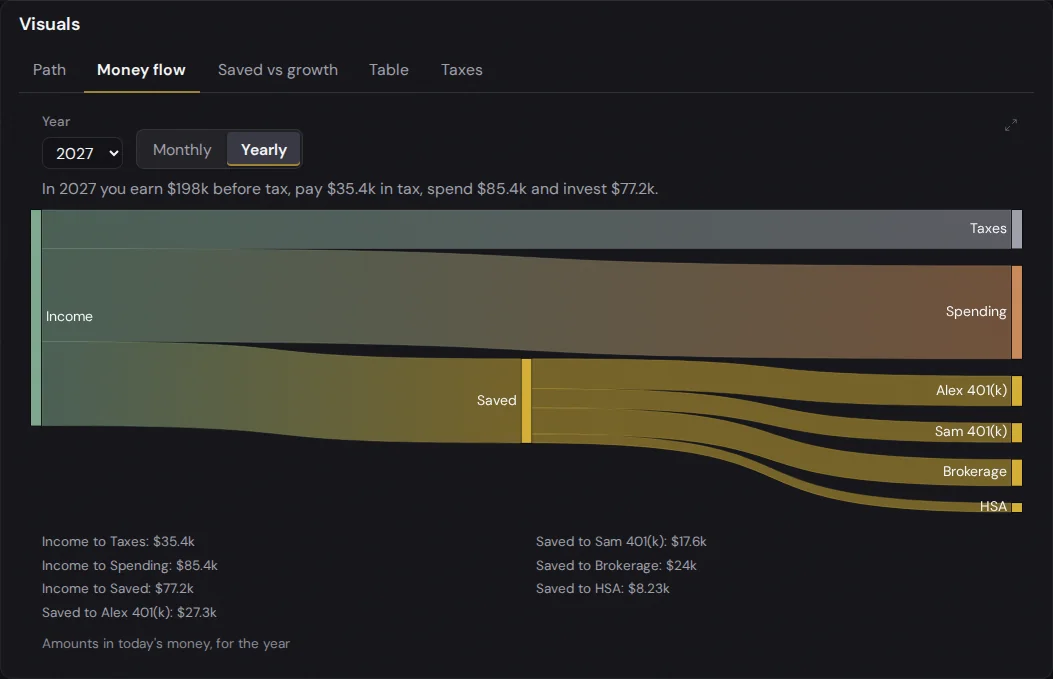
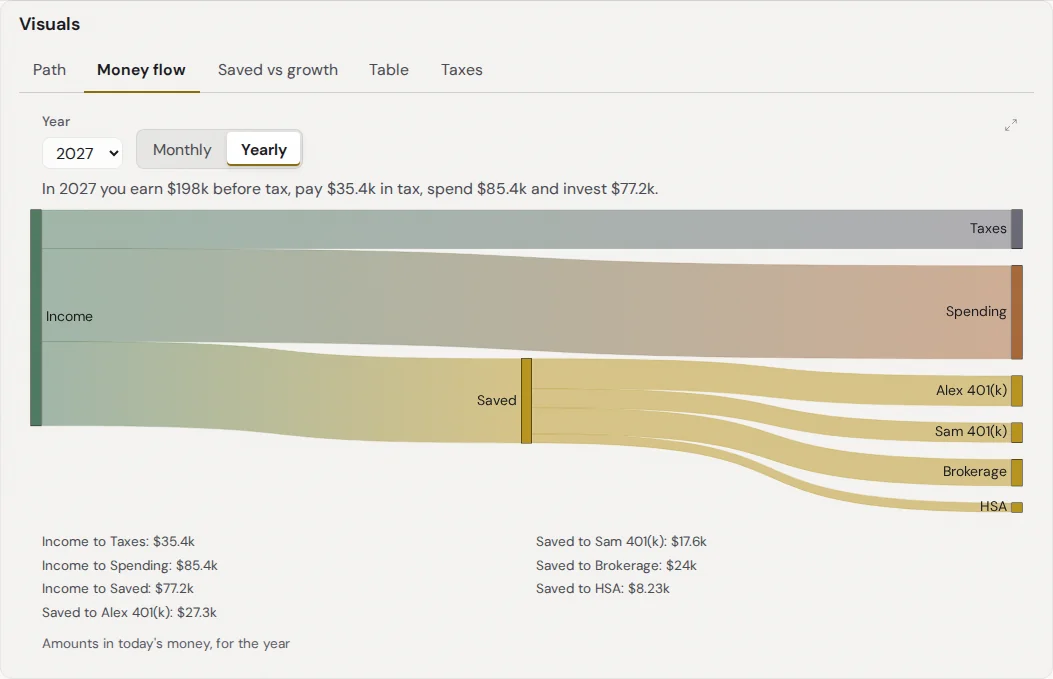
"Try these changes" under the tabs shows what one change does to the date: spend 10% less, retire 3 years later, or earn $500 a month more. Each row opens the section you would change. With US taxes on and retired years before 73 with a traditional account, a fourth row fills the 12% bracket with Roth conversions and shows the lifetime tax it saves. Clicking that one turns the conversions on.


4. Add your real lines
Your numbers sit beside the answer on a computer, and behind Numbers in the bottom bar on a phone. They are in sections: You, Income, Expenses, Assets, Liabilities, Events, Taxes, Assumptions and Check-ins. Each line opens its form in place. + Add, at the top right of a section, adds a line, and so does a click on the section's blank space. The section's total sits at its bottom.
- Income: salary, side income, pension, Social Security, rental or other, each with a start, an end and a growth rate. "Ends at retirement" stops a salary on your date.
- Expenses: eight categories. Each grows with your inflation plus its own offset (healthcare faster, fun slower) or a rate of its own.
- Assets: nine types, from a 401(k) to crypto, each with a balance, a monthly contribution and a growth rate.
- Liabilities: balance, interest and payment. The row shows the month it is paid off.
- Events: money in or out once, like an inheritance or a house.
Every line keeps what you typed, and each section's total is the sum of its lines. When you add your real lines, lower or delete the quick-start's Salary, Spending or Invested savings yourself so nothing counts twice. The 3 steps left pill in the top bar, beside your plan's name, lists what is left to add. Each item takes you straight to its form.
5. Set up US taxes
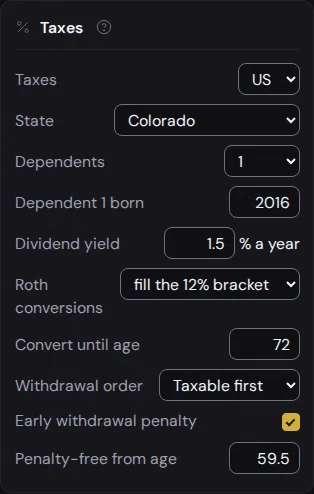
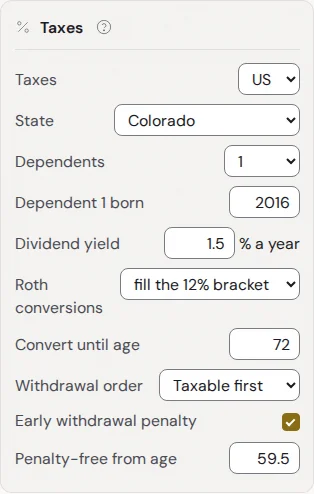
Taxes, in its own section after Events, switches a plan between Off and US. Switching on changes no amount and sets the plan to dollars. Your income lines now mean income before tax, and their rows say "before tax". The Income header shows both figures: before tax and after.
Your state
Pick your state, or leave Federal only. All 50 states and DC are covered, each with its own brackets and its own rules for Social Security, pensions and retirement withdrawals. City and county income tax is not.
A partner, owners and dependents
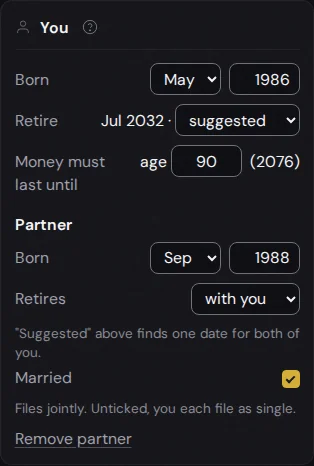
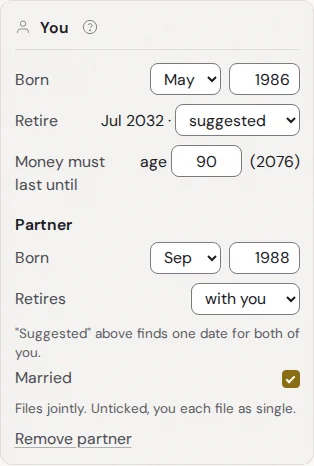
+ Add partner, in You, adds their birth date, when they retire (with you, on a date, or at an age) and Married, ticked by default for a joint return. Unticked, you each file as single and joint lines split in half. With a partner, every account and income form gains an Owner: You, Partner, or Joint for taxable accounts, savings, cash, real estate, crypto and other. Owners decide whose age unlocks a 401(k), whose payroll tax a salary pays and whose RMDs come due.
Dependents, in Taxes, takes a count, then a birth year each. A child counts for the $2,200 child tax credit until 17 and for your household size on the ACA. Working since, under Income, feeds the Social Security estimate when you have no statement figure.
Basis, employer match and the HSA
A taxable, crypto or other account takes a Cost basis: what you paid in. Only the gain above it is taxed when you sell. A Roth takes a Contribution basis: what you put in, which comes out first, free of tax and penalty at any age. Leave either blank and the whole balance counts as basis. A 401(k) takes an Employer match, added to the account and never taken out of your pay. HSA withdrawals are tax-free up to the year's healthcare spending.
Social Security
A Social Security line asks for the Benefit at full retirement age from your SSA statement and the age you Claim at, 62 to 70. Claiming before full retirement age cuts the benefit. Every year you wait after it, up to 70, adds 8%. A partner gets a spousal top-up when half your benefit is more than their own. Leave the figure blank and the planner estimates it from your salary and Working since. The line then shows what retiring early costs you a month at your claiming age. With Social Security in the plan, a stress test cuts benefits to what the trust fund can pay.
The Roth conversion ladder
Roth conversions in Taxes moves money from your traditional accounts into your Roth every December, from your first retired year until the age you set:
- Fill the 10, 12, 22 or 24% bracket: converts up to the top of that bracket.
- A fixed amount a year: in today's dollars.
- Up to the ACA income limit: keeps your income under the premium credit's cut-off.
Each conversion is taxed in its year. After five years it can come out of the Roth penalty-free, even before 59.5. That is the ladder that bridges an early retirement. Turn on Early withdrawal penalty in Taxes and the planner draws your Roth basis and seasoned conversions before anything that would be penalized.
RMDs and the ACA
Required minimum distributions start at 73, or 75 if you were born in 1960 or later. The planner takes each one from your traditional accounts in December and invests what is left after tax. Before 65, tick Marketplace plan at full price on a healthcare line: the planner takes that amount as your benchmark premium and subtracts the ACA credit your income earns that year. Medicare after 65 stays your own healthcare line.
What each line is taxed as
| Line | Taxed as |
|---|---|
| Salary | Wages: payroll tax, federal and state income tax |
| Side income | Self-employment tax, federal and state |
| Pension, rental, other income | Ordinary income |
| Social Security | Up to 85% taxable, by your other income |
| 401(k) or IRA withdrawal, conversion, RMD | Ordinary income, plus 10% before 59.5 |
| Taxable, crypto or other account | The gain above basis, as a long-term gain |
| Roth | Basis first, then conversions, then earnings (taxed before 59.5) |
| Savings, cash, home equity, one-time events | Not taxed |
The exact rules, with the 2026 numbers and their sources, are in How Projections Work.
6. Read your taxes
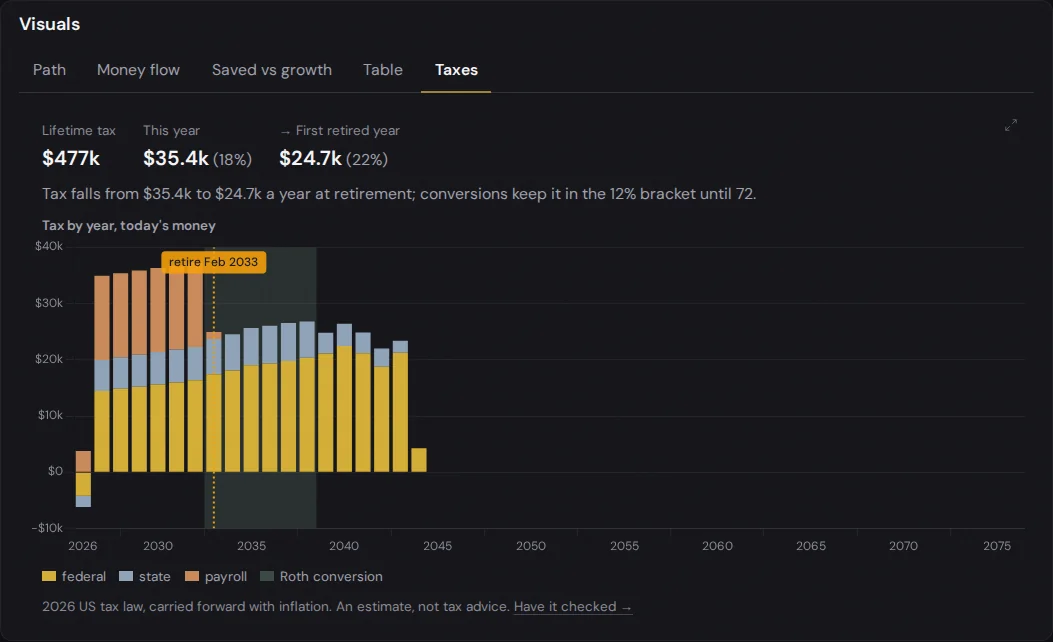
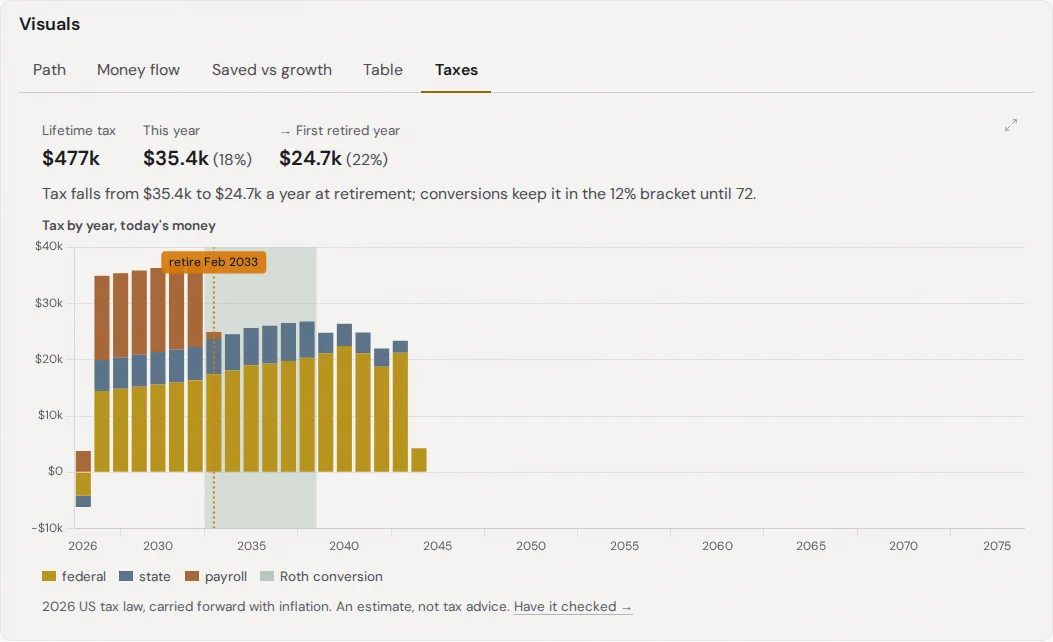
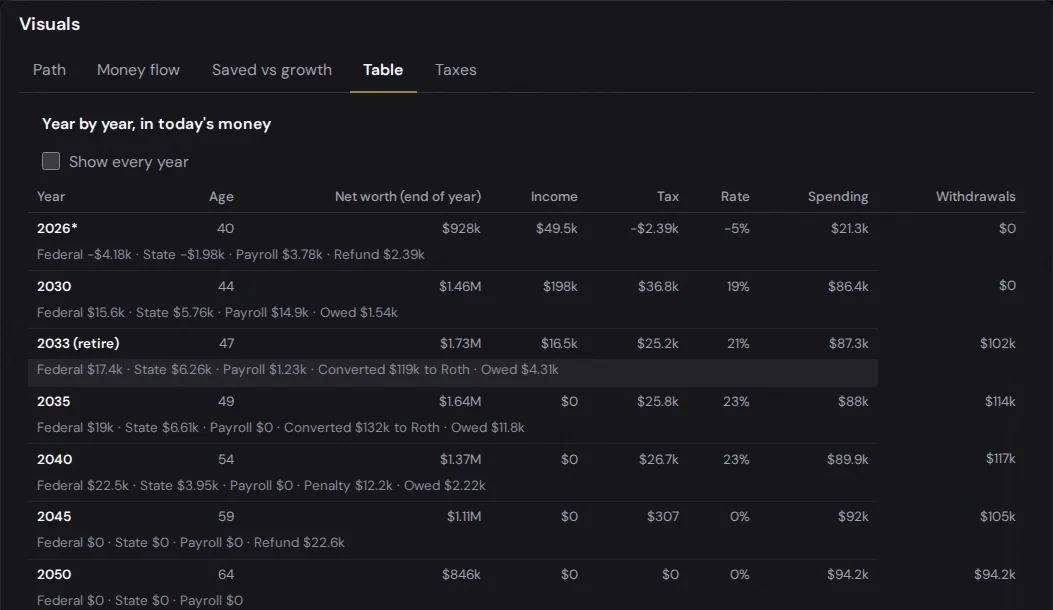
The Taxes tab charts the tax for every year: federal, state and payroll stacked, the retirement date marked, and the years of Roth conversions shaded. Above it: your lifetime tax, this year's tax and the first retired year's, each with its effective rate.
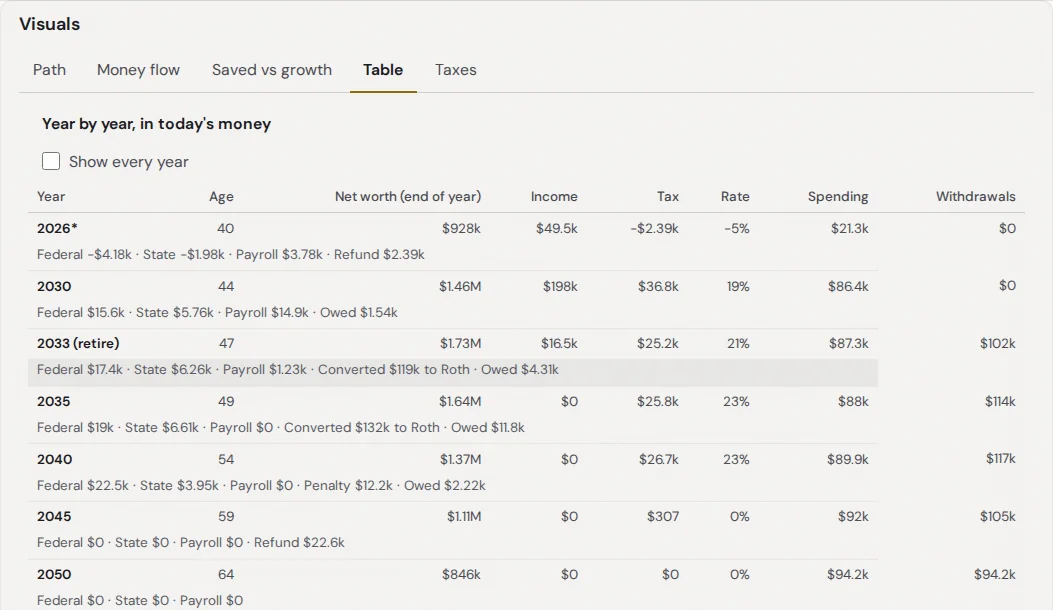
The Table gains Tax and Rate columns. Under each year: federal, state and payroll, any penalty, the amount converted to Roth, the RMD, the ACA credit, and December's refund or what was owed.
7. Stress test it
Stress test this plan lists the tests. Tick one and its numbers appear, ready to change. The answer, every model and every chart include the tests you have on, and the line under the headline names them.


8. Keep, compare and share plans
The plan menu in the top bar ("My plan") holds up to 5 plans. Duplicate one to test a change: retire at 50, move to a state with no income tax, claim Social Security at 70. Compare plans puts them in one table: when each retires, its three grades and net worth at retirement.
Share gives a link to the plan you have open. It holds your numbers and line names, and leaves out the plan's name and check-ins. Anyone who opens it can explore it without saving anything. File ▸ Export this plan (CSV) downloads a backup, and Import plan (CSV) reads it back on another device.
9. Check in monthly
Once a month, + Add in Check-ins records a check-in: type your balances. The newest check-in updates the plan and says how far ahead of or behind your original plan you are. Add a calendar reminder (.ics) puts the monthly check-in in your calendar.
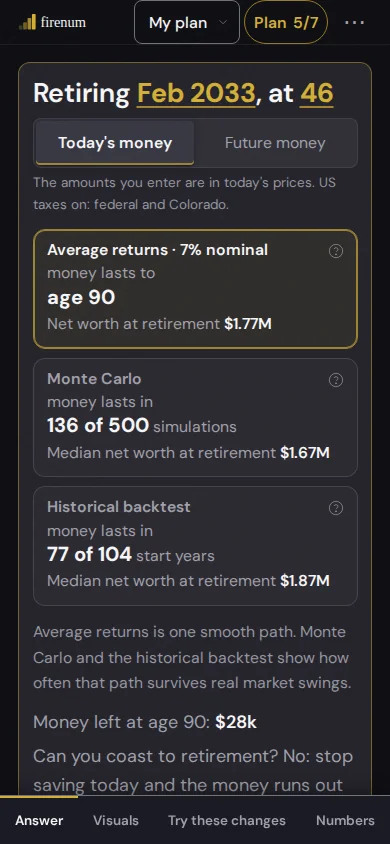
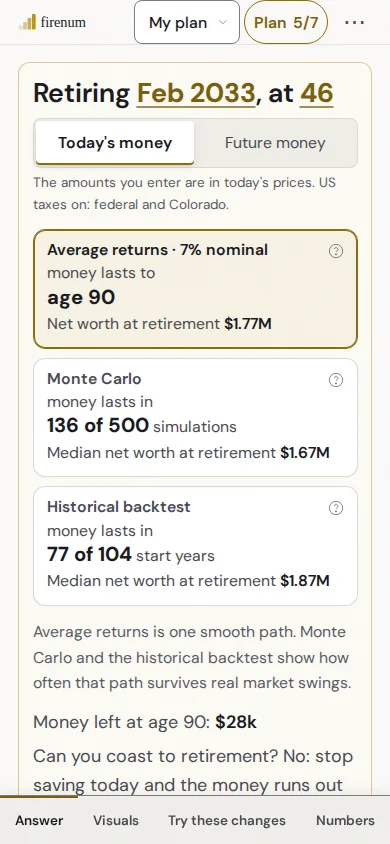
On a phone, the bottom bar jumps between the answer, the details behind it, what moves it, and your numbers. The planner works the same on every screen.
FAQ
No. Taxes are off for every plan until you switch them on, and the planner works in any country with them off: enter take-home pay, and add tax as a spending line if you pay it separately.
No amount changes. Your income lines now mean income before tax, so check that each one is your gross amount. A spending line named "Taxes" gets a warning, since the planner now computes the tax: delete it or keep it, your choice.
US tax law is written in dollars, so the plan's amounts are dollars from then on. Nothing is converted. You can switch the display currency back later.
No. The figures are estimates from 2026 US tax law, carried forward with inflation. They leave out itemized deductions, AMT, local income tax and some credits. A fee-only advisor can check your plan's taxes and timing: see the advisor directory.
Start with four numbers. Add your real lines, then taxes, then the stress tests. The answer gets more useful the more of your real plan it holds. Open the Fire Planner.
Put it into a plan with your own numbers.